
This morning I wanted to look for a note and to my surprise the old Metalink, then My Oracle Support portal, did not exist anymore.
All is now merged in the new “My Oracle Support” site, previously known as “My Oracle Cloud Support”.
The link to bookmark is https://support.oracle.com/support/
New DocID, now is KB
Important to notice is, The DocID number were changed. For instance, to find the following note:
”How to add an Additional Listener in RAC setup (Doc ID 2456650.1)”
You need to look for the title. The document has now a new ID, starting with KB (Knowledge Base):

The links from Google are still not updated and do not work.
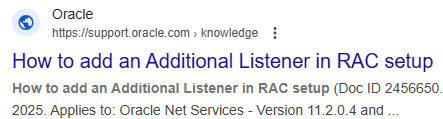
The solution is to search for the title in the new Oracle Support site.
Or use the MOS DocId to KB link translation I’ve compiled.
Old SRs, new SRs
The SRs from the “classic” portal are now at the end of the list as “Archived Service Requests”.
There are three headings now:
- These service requests need your attention
- Oracle is working on these service requests for you
- Archived Service Requests (last 2 years from old portal)
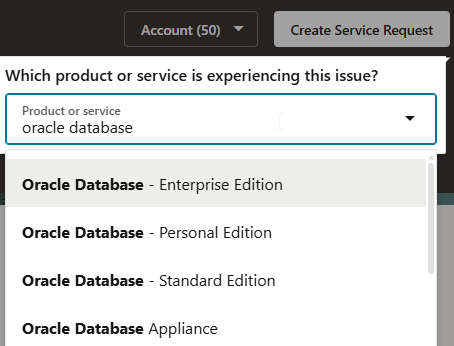
To create new SRs for On-premises, you need to search for “Oracle Database”:
Feedback
Unfortunately there is not anymore the possibility to:
- see last searches
- see last views documents/notes
- favorites
- use old DocID in the search (would be enough to keep in the text of the new note!)
- No wget script to download patches
- Search engine does not prioritize most viewed notes
I’ll get used to the new portal, but as everytime, changes are not easy.
Status 10.12.2025:
- Link to patches were removed from notes. You can use the URL: https://support.oracle.com/support/?patchId=<patchID>
- A Top50 list was created by Oracle, still no ‘sorry’ for the confusion generated
- No more Google results for Oracle Support site
You can access the documents saved as favorites in classic My Oracle Support portal by navigating to Account > Preferences > … > Previous Favorites.
… represents the 3 dots appearing next to the tab User Groups when you are on My Profile page after clicking Account > Preferences.